Technical
How AI Cheating Detection Actually Works: A Technical Overview


"AI cheating detection" is an umbrella term that covers very different approaches, from browser tab monitoring to deep device-level inspection. The gap between a shallow implementation and a deep one is the difference between catching naive attempts and catching sophisticated ones.
This post describes what a layered detection architecture actually monitors, and why each layer exists.
Layer 1: Network Traffic and Domain Filtering
The first place to intercept AI cheating is the network layer, before any application runs.
Domain-level filtering. Every call to a hosted AI API begins with a domain resolution. API endpoints for major AI providers, including OpenAI, Anthropic, Google, and Cohere, are well-known and resolve to identifiable destinations. A network-layer guard that controls the session's DNS resolver can block these lookups at session start. No resolution means no connection.
This requires the exam session to route through a controlled network path, such as a per-session VPN tunnel, rather than relying on the candidate's own network infrastructure.
Provider network filtering. Some bypass attempts route directly to AI service infrastructure through other means. The major AI providers operate from identifiable network blocks. Traffic destined for those ranges can be blocked or flagged even without domain-level interception.
Traffic pattern analysis. AI API traffic has a recognizable signature in timing and payload structure: short outbound requests followed by longer streaming responses. A network monitor can identify this behavioral pattern even when the destination is obscured.
VPN and tunnel detection. A candidate who activates a VPN mid-session is attempting to route their traffic outside the controlled path. Common tunneling protocols and commercial VPN infrastructure are detectable at the network layer and can trigger automatic session flags.
Layer 2: Device Activity and Local Runtime Monitoring
Network controls handle API calls to external services. They don't handle local models.
A candidate running an on-device LLM generates no external network traffic. The model runs entirely on the candidate's hardware, responding to prompts locally. Network-layer controls see nothing.
OS-level monitoring fills this gap.
Active process detection. Local AI inference tools produce observable activity on the device. An agent running with appropriate OS-level permissions can detect when AI inference tools are active, both at session start and periodically throughout the session.
This requires an agent running at OS level with sufficient permissions to observe device state. A browser extension cannot do this.
Local inference service detection. Local AI tools typically expose a service interface for interoperability with other applications. An agent can detect active local inference services through their network presence and behavioral characteristics regardless of what the parent process is named.
Combined signal. Process activity paired with an active local inference service produces a high-confidence indicator that a local model is running.
Layer 3: Installed Capability Signals
Running a local AI model requires loading model weight files onto the device. These files are substantial, often tens of gigabytes, and must exist on disk before inference can occur.
Static assessment at session join. When a candidate joins an exam session, an OS-level agent can assess whether AI model weight files are present on the device. Finding these files doesn't prove the candidate intends to use them during the exam, but it indicates the capability is present and can inform the risk profile for that session.
Active load detection. During a live session, monitoring can detect when AI model files are being actively mapped into memory for inference. This approach is resilient to surface-level obfuscation: renaming a file doesn't change what it contains or whether it's being actively loaded.
Layer 4: Hardware Resource Signals
Running a large language model requires substantial GPU memory. The specific usage varies with model size, but the pattern is consistent: loading a model causes a significant, sustained increase in GPU memory allocation that normal exam activity does not produce.
During a typical exam session, GPU memory usage is modest; web browser rendering, document display, and video conferencing consume limited GPU resources. A sudden, sustained increase that exceeds normal session baselines is anomalous and can be flagged.
Complementary to other layers. Hardware resource monitoring is most useful as a corroborating signal. An anomalous resource spike alone has alternative explanations. The same spike combined with active inference service detection and model file access produces a high-confidence composite result.
Reading the Layers Together: The Aegis Report
In practice, no single layer catches every case. A sophisticated attempt might route traffic through a tunnel, run a local model under a renamed binary, or try to act between checks. Reading the layers together closes those gaps.
Aiseptor separates two kinds of result. Prevented: actions that cannot happen at all, like reaching an AI endpoint or a remote-access relay. Detected: device conditions reported as facts, like a window carrying the screen-capture-exclusion flag or GPU memory consistent with a loaded model. Nothing is a guess about behavior or intent.
Each session ends with a signed CLEAN or FLAGGED result in the Aegis report, naming every signal that fired. A reviewer sees exactly which facts were recorded and why, not a black-box score.
Why This Requires an OS-Level Agent
All of the monitoring described above, including process observation, inference service detection, capability assessment, and hardware resource sampling, requires an agent that runs at the OS level with sufficient permissions. A browser extension cannot access the running process state, scan the filesystem, or read hardware resource counters. It runs in a sandboxed context deliberately isolated from these capabilities.
This is the core reason browser-based proctoring can't address AI cheating at the local model layer. The detection surface is below the browser. Reaching it requires an agent that runs below it too.
The tradeoff is installation overhead: candidates need to install an agent before joining an exam. For high-stakes assessments, such as professional certifications, hiring evaluations, and university finals, this is a reasonable requirement. For lower-stakes quizzes, it may not be.
The question for any exam platform is where the assessment sits on that spectrum, and whether the credential it issues warrants the detection depth.
Frequently Asked Questions
How does AI cheating detection work?
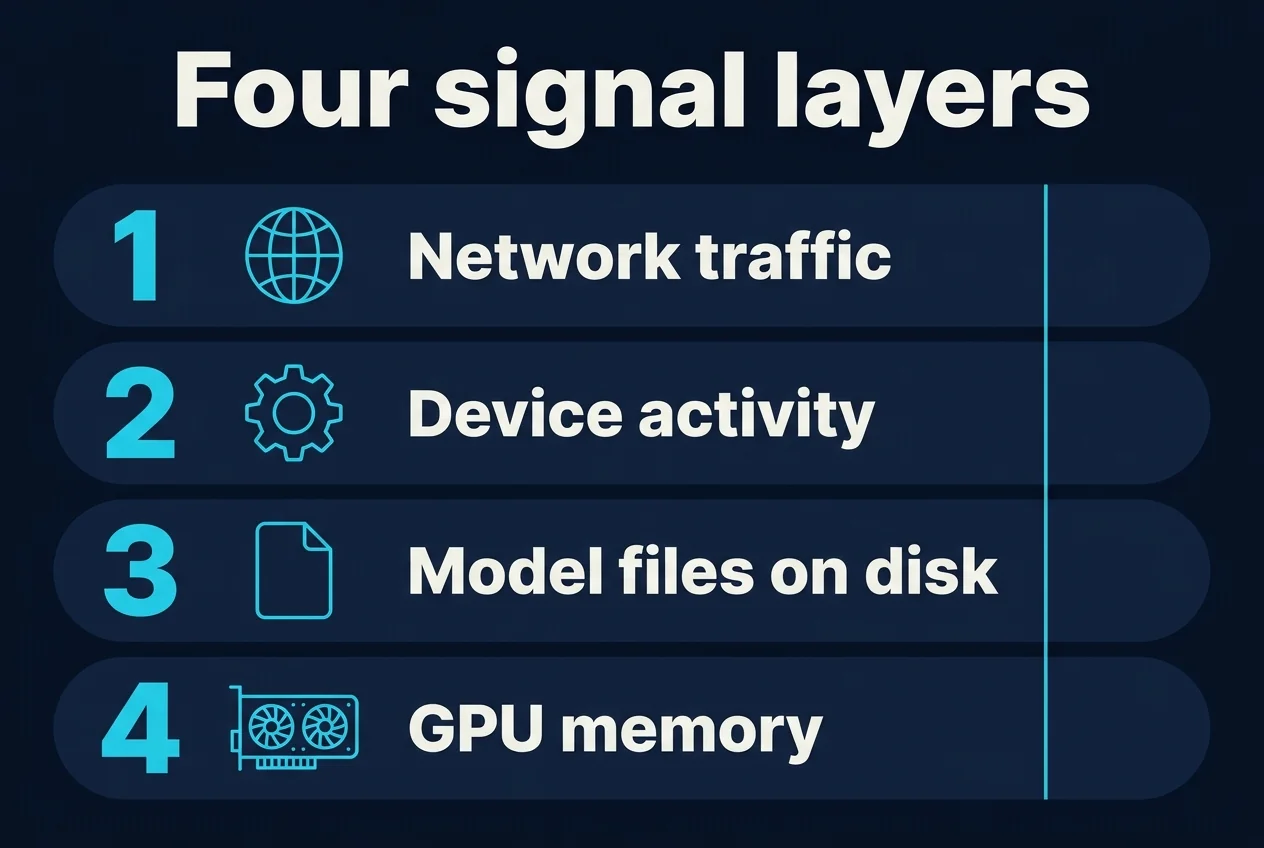
It reads signals at four layers below the exam window: network traffic to AI services, device activity such as local inference processes, AI model files on disk, and GPU memory use. Strong systems block what they can outright and report the rest as specific facts a reviewer can check.
What are the four layers of AI cheating detection?
Network traffic and domain filtering (blocking AI API calls at the DNS level), device activity and local runtime monitoring (catching on-device LLMs that generate no external traffic), installed capability signals (detecting AI model weight files on disk), and hardware resource signals (GPU memory spikes consistent with running a local model).
Can network-layer monitoring alone catch AI cheating?
No. Network controls only see traffic to external services, so they're blind to a language model running entirely on the candidate's own hardware, which generates no outbound API calls at all. Catching that requires OS-level monitoring of local processes, inference services, and hardware resource use.
Why does this require an OS-level agent instead of a browser extension?
Detecting local model activity, filesystem access, and GPU resource use all require permissions a browser sandbox deliberately withholds. A browser extension cannot observe process state, scan the filesystem, or read hardware counters. The detection surface sits below the browser, so reaching it requires an agent that runs below it too.
Aiseptor enforces assessment integrity across network, device, and hardware layers with a per-session enclave, OS-level monitoring, and a signed audit report of every signal. No browser extension, no kernel driver. Read how the platform integration works →